Supra Drift 3D – The Ultimate Toyota Supra Driving Experience
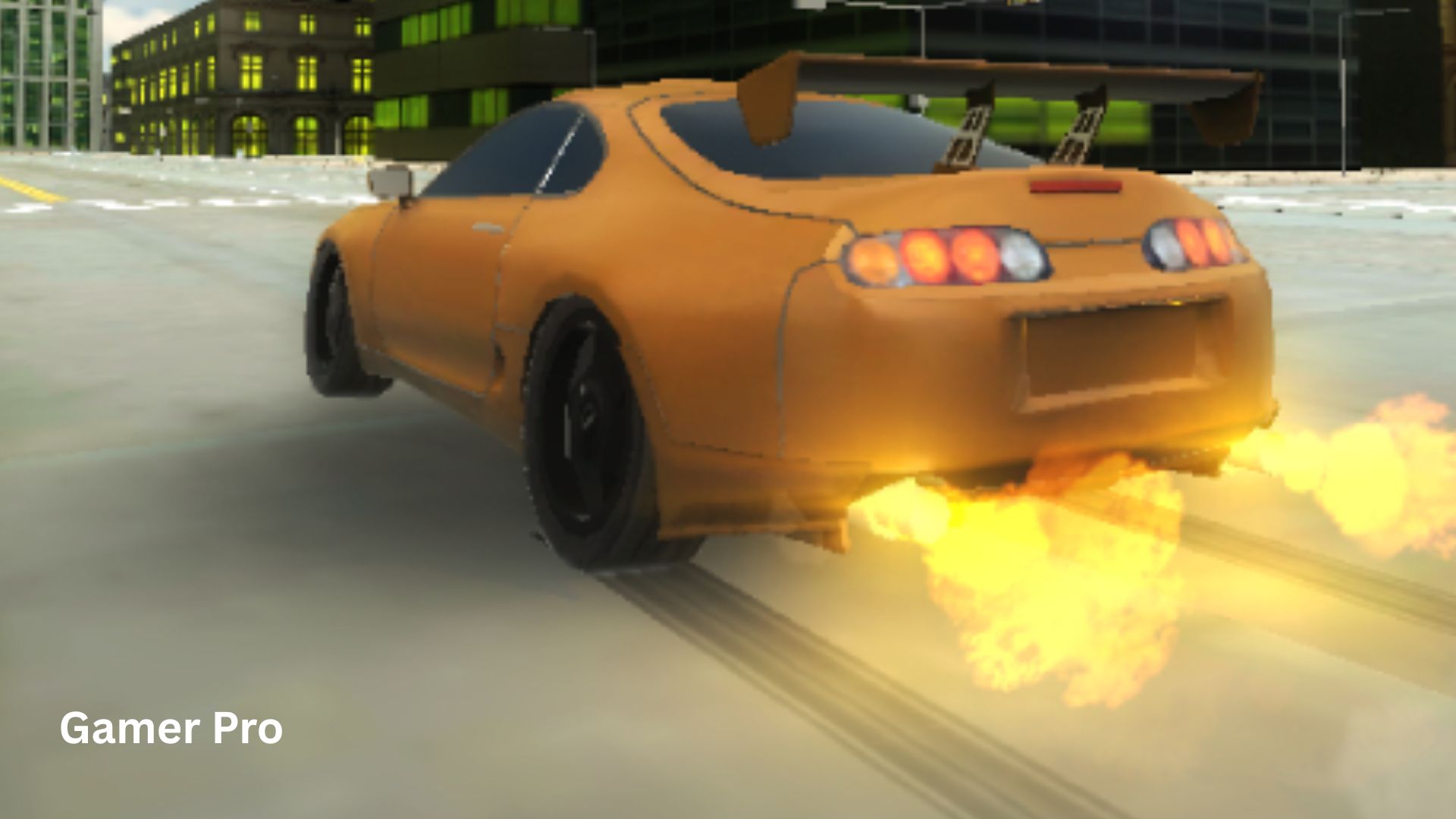
The Toyota Supra. For car enthusiasts, those two words evoke images of screaming turbochargers, long smoky drifts, and the unmistakable silhouette of a Japanese legend. Now, you can get behind the virtual wheel of this iconic machine without leaving your browser.
Welcome to Supra Drift 3D, a free browser-based driving game from Smartline-Games that puts you in control of a fully customizable Toyota Supra. Unlike many racing games that force you into structured races or time trials, this game offers something refreshing: pure freedom. You can drive anywhere in a realistic city environment. There is no traffic to annoy you. No fuel to run out of. No cops chasing you. Just you, your Supra, and an entire city of streets, corners, and straightaways waiting to be conquered.
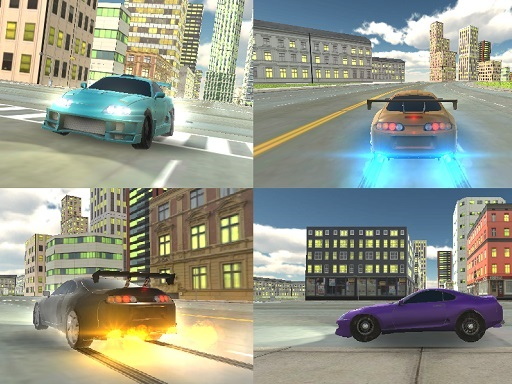
But Supra Drift 3D goes beyond simple free-roaming. The game invites you to make the car your own. You can choose the color, select a body kit, and tune the performance to match your driving style. Whether you prefer high-speed racing or technical drifting, this Supra adapts to you.
And the best part? You can play online directly in your browser. There is no software to install, no account to create, and no hidden fees. This free browser game works on your computer, and it is also mobile web compatible for iOS and Android devices. So grab your phone or fire up your laptop. It is time to burn some rubber.
In this guide, we will explore every feature of Supra Drift 3D. You will learn the controls, customization options, driving tips, and who will enjoy this game the most. And of course, you will find the embedded game right here, ready to play.
What Is Supra Drift 3D? Game Overview
Supra Drift 3D is a 3D open-world driving and drifting game developed by Smartline-Games and published on the GameDistribution platform. It was first released in November 2019 and is built using WebGL technology, which enables smooth 3D graphics directly in your web browser without plugins.
The game centers around one legendary car: the Toyota Supra. This vehicle is famous in car culture for its powerful engine, rear-wheel-drive layout, and incredible potential for both racing and drifting. The developers have captured the essence of this machine, giving it responsive handling and a satisfying sense of weight and momentum.
The City Environment
The game takes place in a realistic city environment. While not a replica of a specific real-world city, the environment features typical urban elements: multi-lane roads, intersections, streetlights, buildings, and open areas. Unlike many driving games that fill the streets with traffic to create obstacles, Supra Drift 3D keeps the roads completely empty. This is by design. The absence of traffic means you have a clean canvas to practice drifts, set up high-speed runs, or simply cruise.
Customization: Your Supra, Your Way
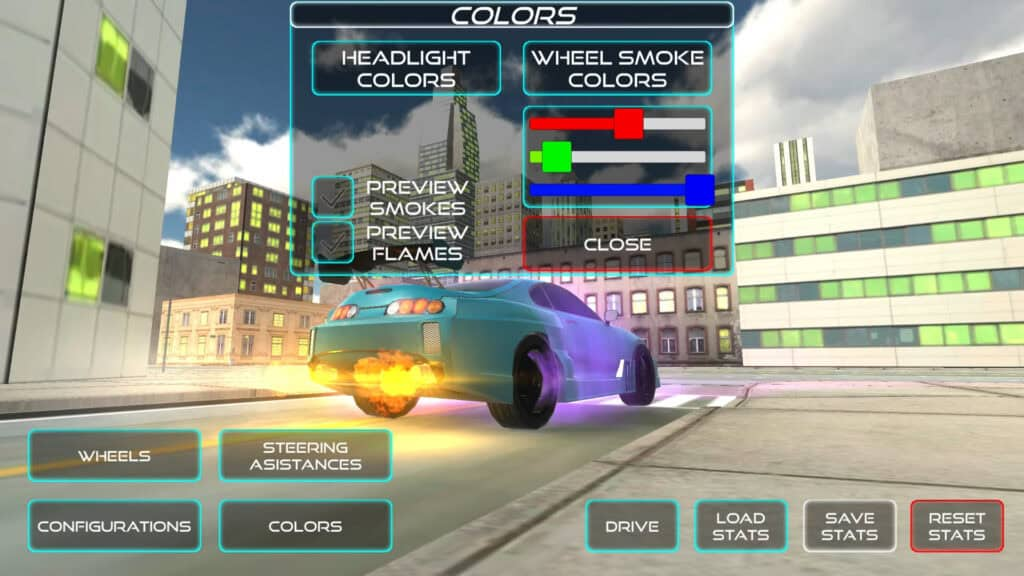
Before you even hit the gas, the game invites you to personalize your car. The customization options include:
- Color: Choose from a selection of paint colors. Want a classic gloss black? A vibrant racing red? A deep metallic blue? The choice is yours.
- Body Kit: Select from different visual modifications. Body kits change the appearance of the front bumper, side skirts, rear bumper, and spoiler. Some kits are subtle; others are aggressive race-inspired designs.
- Tuning: This is where performance meets personal preference. You can adjust various parameters to make the car handle the way you like. The tuning options affect how the car accelerates, turns, and—most importantly—drifts.
The ability to customize and tune before driving is rare in browser-based racing games. It adds a layer of ownership and strategy. You are not just driving a generic car. You are driving your Supra.
Gameplay Mechanics and Controls
The Objective
Supra Drift 3D has no traditional “win” condition. There are no races to win, no lap times to beat, and no missions to complete. The objective is self-directed: have fun driving. You set your own goals. Do you want to perfect a drift around a specific corner? Do you want to explore every street in the city? Do you want to record a cinematic driving video using the built-in replay system? The game gives you the tools. You decide what success looks like.
Core Driving Mechanics
The driving model strikes a balance between arcade accessibility and realistic physics. It is not a hardcore simulator (you will not need to worry about tire temperatures or suspension geometry). But it is not completely unrealistic either. The Supra has weight. It can understeer if you enter a corner too fast. It can oversteer (drift) when you apply power and steering angle. Learning to balance the car at the limit of grip is deeply satisfying.
Controls (Keyboard & Mobile)
Note: The game supports both desktop (keyboard) and mobile (touch) controls.
| Action | Desktop (Keyboard) | Mobile (Touch) |
|---|---|---|
| Drive / Steer | Arrow Keys or WASD | Touch steering (on-screen controls) |
| Handbrake | Spacebar | On-screen button |
| Toggle Slow-motion | G | On-screen button |
| Turn Lights On/Off | L | On-screen button |
| Turn Indicators On/Off | Q, E, Z | On-screen buttons |
| Record Gameplay | R | On-screen button |
| Play Recorded Gameplay | P | On-screen button |
Understanding the Advanced Controls
Supra Drift 3D includes several features rarely seen in browser racing games:
- Handbrake (Spacebar): The handbrake locks the rear wheels, allowing you to initiate a drift even at low speeds. Tap it briefly while turning to break traction and slide sideways.
- Slow-motion (G): Pressing G toggles slow-motion mode. This is incredibly useful for two purposes: (1) performing precise, slow-speed maneuvers in tight spaces, and (2) creating dramatic, cinematic driving footage.
- Lights (L) and Indicators (Q, E, Z): These are purely cosmetic but add immersion. Press L to turn the headlights on or off. Press Q (left indicator), E (right indicator), or Z (hazard lights) to signal. Role-playing a realistic drive? Use your indicators!
- Record and Playback (R and P): This is a standout feature. Press R to start recording your driving. Perform a perfect drift sequence. Press R again to stop recording. Then press P to play back your recorded run from a cinematic camera angle. This allows you to watch your own stunts and share them (via screen recording) with friends.
Key Features That Make Supra Drift 3D Unique
1. Extensive Car Customization
Most browser driving games give you one car with no options. Supra Drift 3D lets you choose color, body kit, and tuning settings. This transforms the experience from “playing a game” to “driving my car.”
2. Empty, Realistic City Environment
No traffic. No police. No time limits. The empty city is a deliberate design choice that prioritizes fun over frustration. You can focus entirely on your driving line without dodging AI cars.
3. Record and Playback System
The ability to record your gameplay and replay it from cinematic angles is a feature usually found in console games like Gran Turismo or Forza. Having this in a free browser game is exceptional. Use it to analyze your technique or create cool videos.
4. Slow-Motion Mode
Slow-motion is not just a gimmick. It helps you practice difficult drift sequences at a manageable speed. Once you master the sequence in slow-mo, turn it off and attempt it at full speed.
5. Functional Lights and Indicators
For players who enjoy immersion, being able to turn on headlights and use turn signals adds a level of realism rarely seen in arcade browser games.
6. Mobile Web Compatible
Unlike many 3D WebGL games that require a keyboard, Supra Drift 3D works on iOS and Android devices. The touch controls are adapted for drifting, with on-screen buttons for handbrake, lights, and recording.
Tips for Beginners (How to Master the Drift)
New to Supra Drift 3D? Here are five tips to go from spinning out to sliding like a pro.
1. Start with the Tuning Menu
Before driving, spend two minutes in the tuning menu. If you are a beginner, soften the suspension and reduce the rear tire grip (if the option exists). If you want easier drifts, increase the handbrake sensitivity. Experiment. There is no penalty for wrong tuning.
2. Learn the Handbrake Drift
To perform a basic drift:
- Approach a corner at moderate speed.
- Turn your steering wheel (or tap left/right) into the corner.
- Quickly tap the handbrake (Spacebar).
- The rear of the car will slide out.
- Counter-steer (turn opposite to the slide) and modulate the gas to maintain the slide.
- When you want to exit, release the gas or tap the brakes.
Practice this on wide, empty intersections before trying tight corners.
3. Use Slow-Motion to Practice
Press G to enter slow-motion. Now the game moves at half speed (or slower). This gives you time to feel the car’s weight transfer and practice your counter-steering. Once you can drift consistently in slow-motion, turn it off and try normal speed.
4. Record and Watch Your Runs
Press R before attempting a difficult drift sequence. After you finish (successfully or not), press R again to stop recording. Then press P to watch the replay. The cinematic camera often shows you mistakes you did not feel in real-time. Use this to improve.
5. Explore Before You Push Limits
The city is large. Spend your first few minutes just driving around. Learn which streets are wide enough for high-speed drifts. Find open parking lots or long sweeping turns. Knowledge of the environment is as important as car control.
Is Supra Drift 3D Suitable for You? (Audience Analysis)
For Kids (Ages 10+)
Yes, with supervision. The game has no violence, blood, or inappropriate content. However, younger children may find the drifting mechanics difficult to master. The handbrake and counter-steering require coordination. Kids who enjoy car games (like Asphalt or Need for Speed) will enjoy the freedom. Parental supervision is recommended due to third-party ads.
For Casual Players
Absolutely. This is the perfect “wind down” game. You can ignore drifting entirely and just cruise the city. You can spend ten minutes customizing your car and then five minutes driving. The lack of objectives makes it stress-free. The mobile compatibility means you can play on your phone during a commute.
For Car Enthusiasts and Hardcore Gamers
Yes. If you love the Toyota Supra or enjoy tuning games, Supra Drift 3D will impress you for a browser game. The customization options and recording feature show that the developers understand car culture. However, hardcore sim racers (who play Assetto Corsa or iRacing) will find the physics too arcade-like. Manage your expectations—this is a fun, free browser game, not a $60 simulator.
Verdict by Audience
| Audience | Suitability | Notes |
|---|---|---|
| Kids (10+) | ✅ Moderate | Requires coordination; very safe content |
| Teens | ✅ High | Great for car enthusiasts |
| Casual adults | ✅ Very high | Perfect stress-free driving |
| Car enthusiasts | ✅ High | Impressive customization for a free game |
| Hardcore sim racers | ❌ Low | Physics too simple for simulation fans |
Frequently Asked Questions (FAQ)
1. Do I need to download anything to play Supra Drift 3D?
No. Supra Drift 3D is a free browser game that runs on WebGL. You can play it directly in this article using the embedded game frame. There is no software to install, no app to download, and no registration required. It works on both desktop and mobile browsers.
2. Can I play Supra Drift 3D on my phone or tablet?
Yes. The game is mobile web compatible and works on iOS and Android devices. Touch controls are provided on-screen. However, for the best drifting experience (especially using the handbrake), a physical keyboard on a computer is recommended. Mobile is great for casual cruising.
3. How do I record my gameplay? Why would I want to?
Press the R key (or tap the record button on mobile) to start recording. Perform your drift or stunt. Press R again to stop. Then press P to play back the recording. The replay uses a cinematic camera angle, making your driving look like a movie trailer. You can then use screen recording software (or your phone’s screen recorder) to save the video and share it with friends.
4. What is the point of the game? Are there races or missions?
Supra Drift 3D has no races, no missions, and no objectives. It is a sandbox driving game. The point is to enjoy the feeling of driving a customized Toyota Supra in an open city. Some players set personal challenges (e.g., “drift continuously for 30 seconds”). Others simply enjoy the atmosphere. If you need structured goals, this may not be the game for you. If you love creative freedom, you will adore it.
5. How do I drift consistently without spinning out?
The key is throttle control. Do not hold the accelerator at 100% while drifting. Feather the gas (tap it rhythmically). Also, practice counter-steering: when the rear slides right, you must steer left. The handbrake initiates the drift, but your steering and gas maintain it. Use slow-motion mode (G) to practice at reduced speed.
6. The game seems slow or choppy. What should I do?
Supra Drift 3D uses WebGL for 3D graphics, which can be demanding on older devices. Try these tips:
- Close other tabs and background programs.
- Use a modern browser like Chrome, Firefox, or Edge.
- Ensure your browser is updated.
- Lower the graphics quality (look for a settings menu).
- On mobile, close other apps.
- Try refreshing the page.
7. Can I customize other cars besides the Supra?
No. The game is specifically focused on the Toyota Supra. The title is not generic; it is “Supra Drift 3D.” The entire experience is built around this one iconic car. If you love the Supra, this is a dream. If you prefer other models, you may be disappointed.
Conclusion
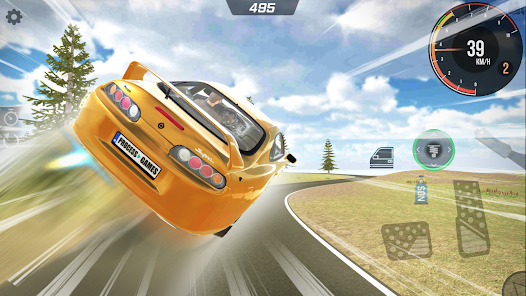
Supra Drift 3D is a love letter to the Toyota Supra and to the joy of aimless, skillful driving. By stripping away traffic, timers, and objectives, the game creates a rare space: a pure driving sandbox where you are free to explore, customize, and improve at your own pace.
The customization options (color, body kit, tuning) give you a sense of ownership. The recording and playback system lets you immortalize your best drifts. The slow-motion mode helps you learn. And the empty city provides a canvas for your creativity.
Because it is a free browser game with no download required, there is no reason not to try it. The embedded game above is waiting. Pick a color, choose a body kit, tune your Supra, and hit the streets. Whether you spend five minutes doing donuts in an intersection or five hours mastering every drift corner, Supra Drift 3D delivers pure, unadulterated driving fun.
So fire it up. Press the gas. Feel the turbo spool. And drift.